
How to choose a compatible smart lock for your Northern Beaches home
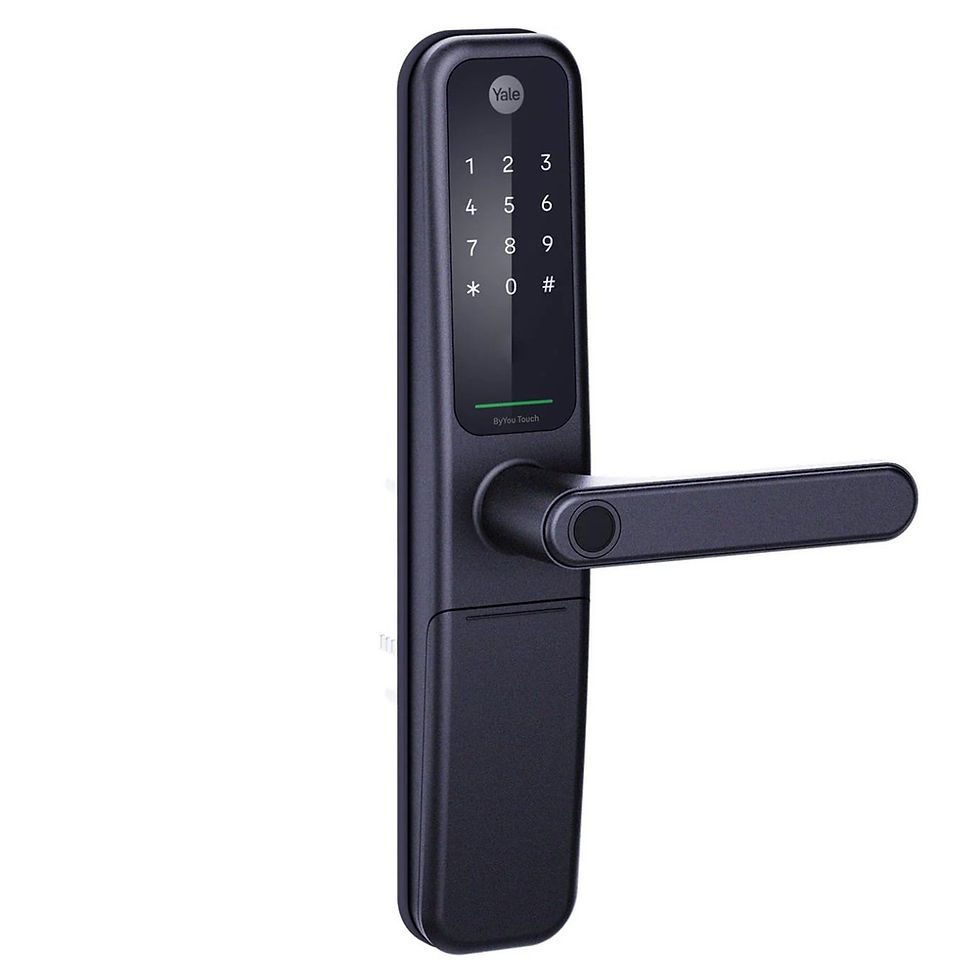
A digital or smart entry lock can make everyday access more convenient. But choosing one starts with your door, not just the keypad or finish. Before ordering, check how the lock fits, how it operates and what is included with the exact model.
Doors First supplies and installs digital and smart entry locks. You can browse our digital and smart lock range online, or ask our Dee Why team for help assessing your existing door.
1. Start with photos of your existing door
Take clear photos of the outside, inside and edge of the door, including the existing lock and the section of the frame where it closes. Show nearby handles, a screen door and anything that might restrict clearance. These details help us discuss whether a suitable retrofit is possible or whether different door preparation may be needed.
Tell us whether you are replacing existing hardware or fitting a lock to a new door. A lock that looks similar in a product photo may need a different fitting arrangement.
2. Check the measurements before ordering
Record the door thickness and, where possible, the backset: the distance from the door edge to the centre of the relevant lock or spindle hole. Also photograph existing holes and the lock body in the door edge. Compare these details with the installation instructions for the exact product you are considering.
For example, our Yale ByYou Pro smart mortice lock listing specifies a 60mm backset and 40–80mm door thickness. Those measurements are a starting point, not a guarantee that it will replace your existing lock without further preparation.
Do not assume a digital deadbolt and a smart mortice lock use the same preparation. If you are unsure which measurement matters for your current hardware, send photos before purchasing. Avoid drilling or altering the door until suitability has been confirmed.
3. Choose the access features you actually need
Think about who uses the entrance. Do you want PIN entry, fingerprint access or phone control? Do you need to manage access when away from home? Available features and supplied accessories vary between models.
Check the product’s Australian documentation rather than relying on a similar-looking overseas model. Remote access can require an additional bridge, hub or module. Confirm what comes in the box and which accessories your preferred features need before comparing total costs.
4. Mention apartment doors and exposed entrances
If the entrance is an apartment door, tell us about any fire-door or strata requirements before selecting hardware. The specific door and lock combination needs to be assessed; a general smart-lock description is not enough to establish suitability.
For entrances exposed to weather, explain the location and send a photo. Check the manufacturer’s guidance for the exact model and mounting position rather than assuming every digital lock suits every entrance.
5. Separate the product purchase from installation
You can buy hardware online, or request a quote for supply and installation. Product prices exclude installation unless the listing explicitly says it is included. For an installation enquiry, send your suburb, door photos, measurements and preferred access features so we can discuss suitable options and the work required.
We assist customers in Dee Why and across the Northern Beaches, including Manly and Brookvale. For other Sydney suburbs, contact us to confirm service availability.
Ready to compare smart locks?
Shop digital and smart locks or request compatibility advice and a supply-and-installation quote. Call 02 9949 6621, or visit Doors First at 1B/1 South Creek Road, Dee Why NSW 2099.
Free standard delivery applies to eligible orders over A$250. Check the delivery options and any charges at checkout. Much of our catalogue is supplier dispatched, so confirm the exact model and finish before arranging local collection.
For model-specific fitting information, refer to the Yale Australia smart-lock catalogue and the installation instructions for your chosen product.


Comments